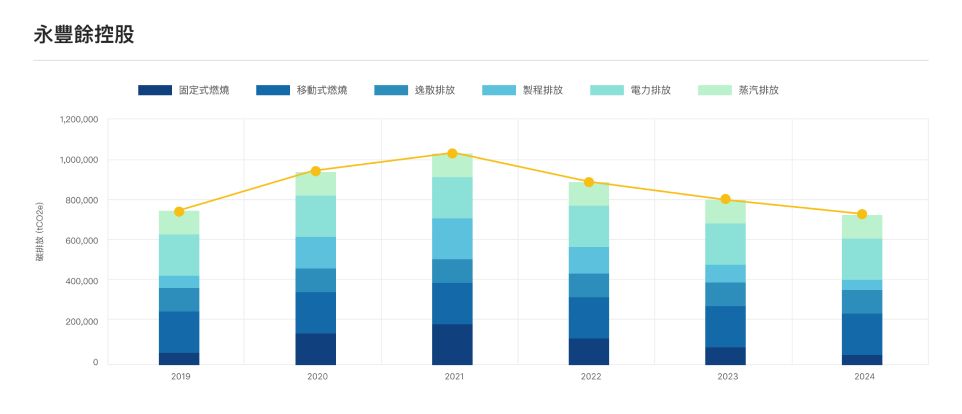
Carbon Disclosure System

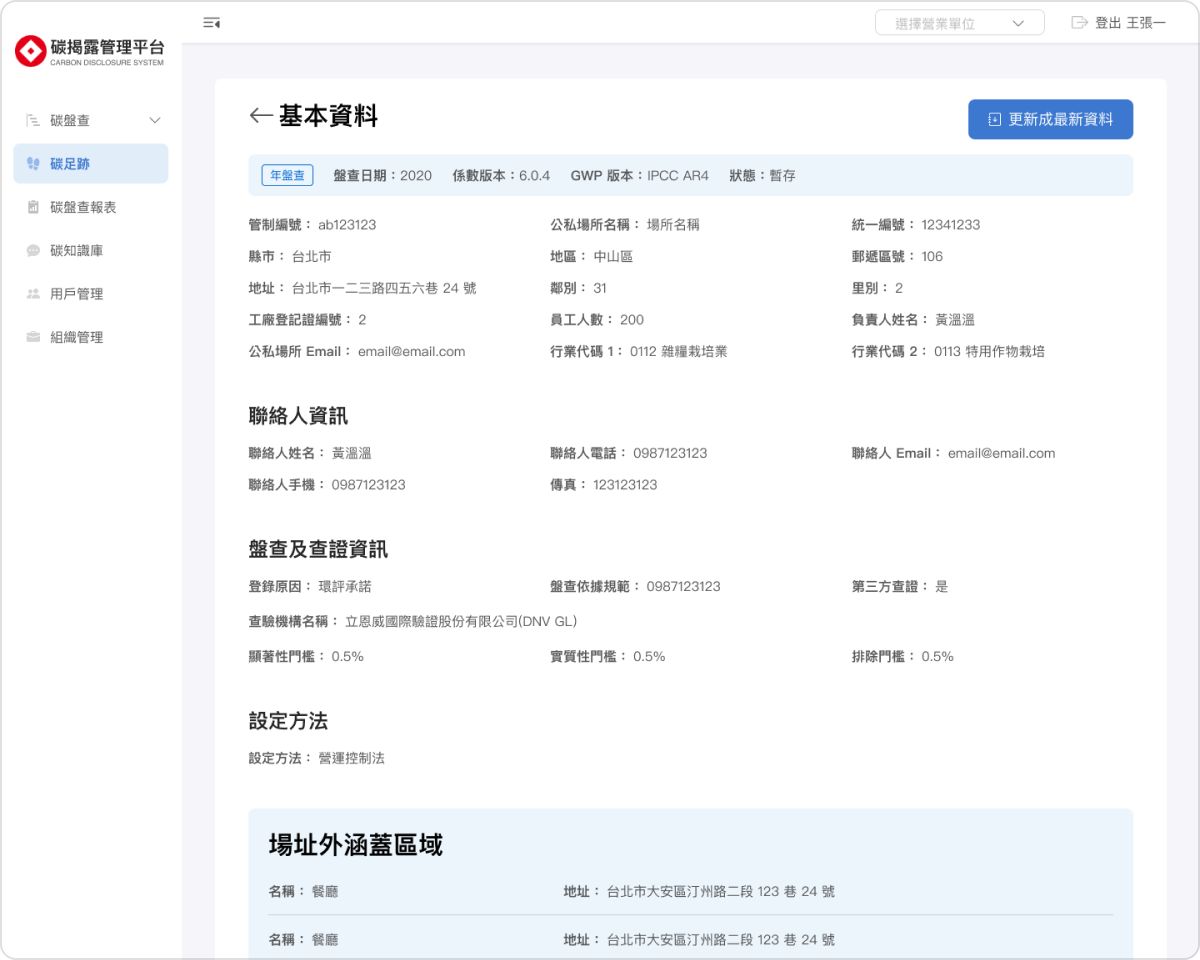
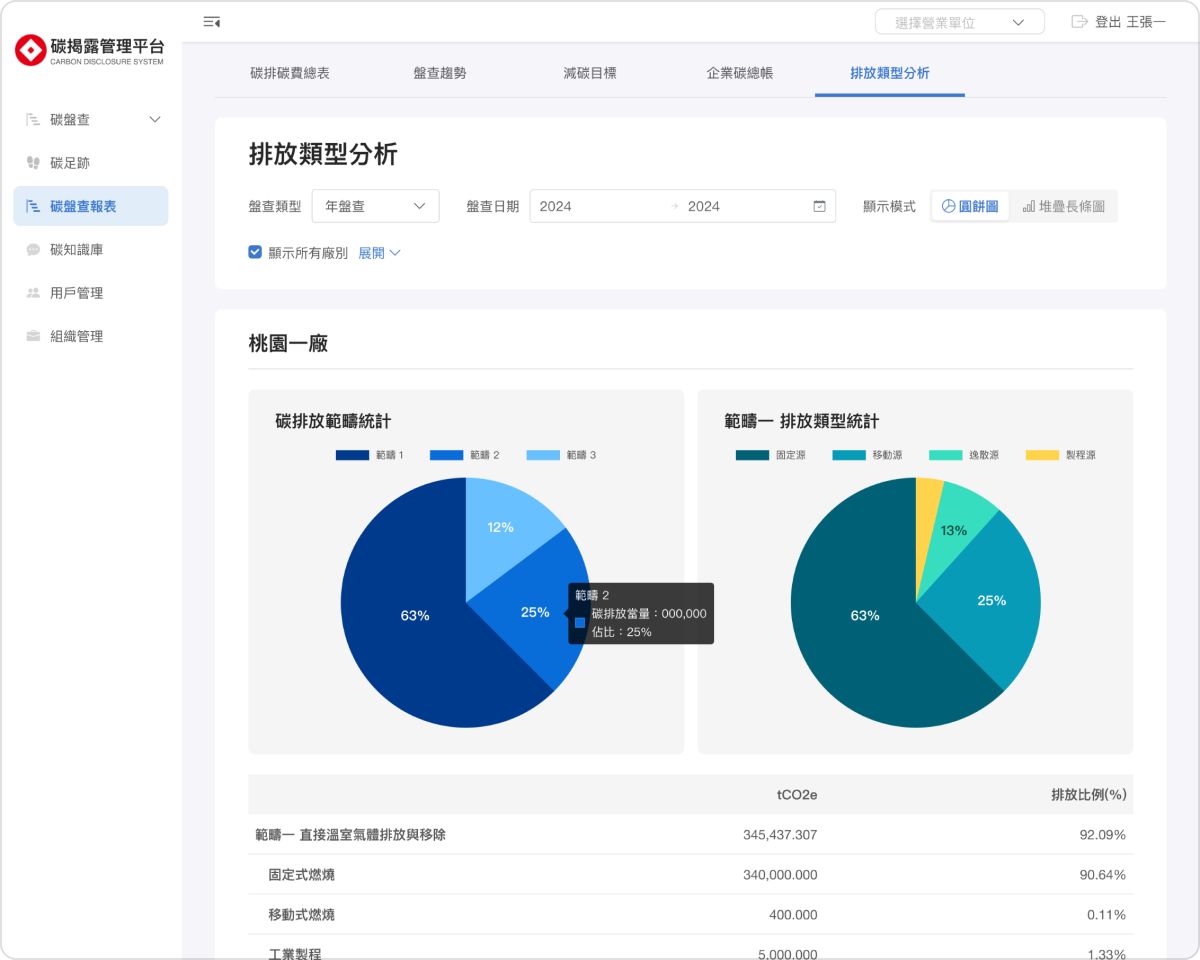
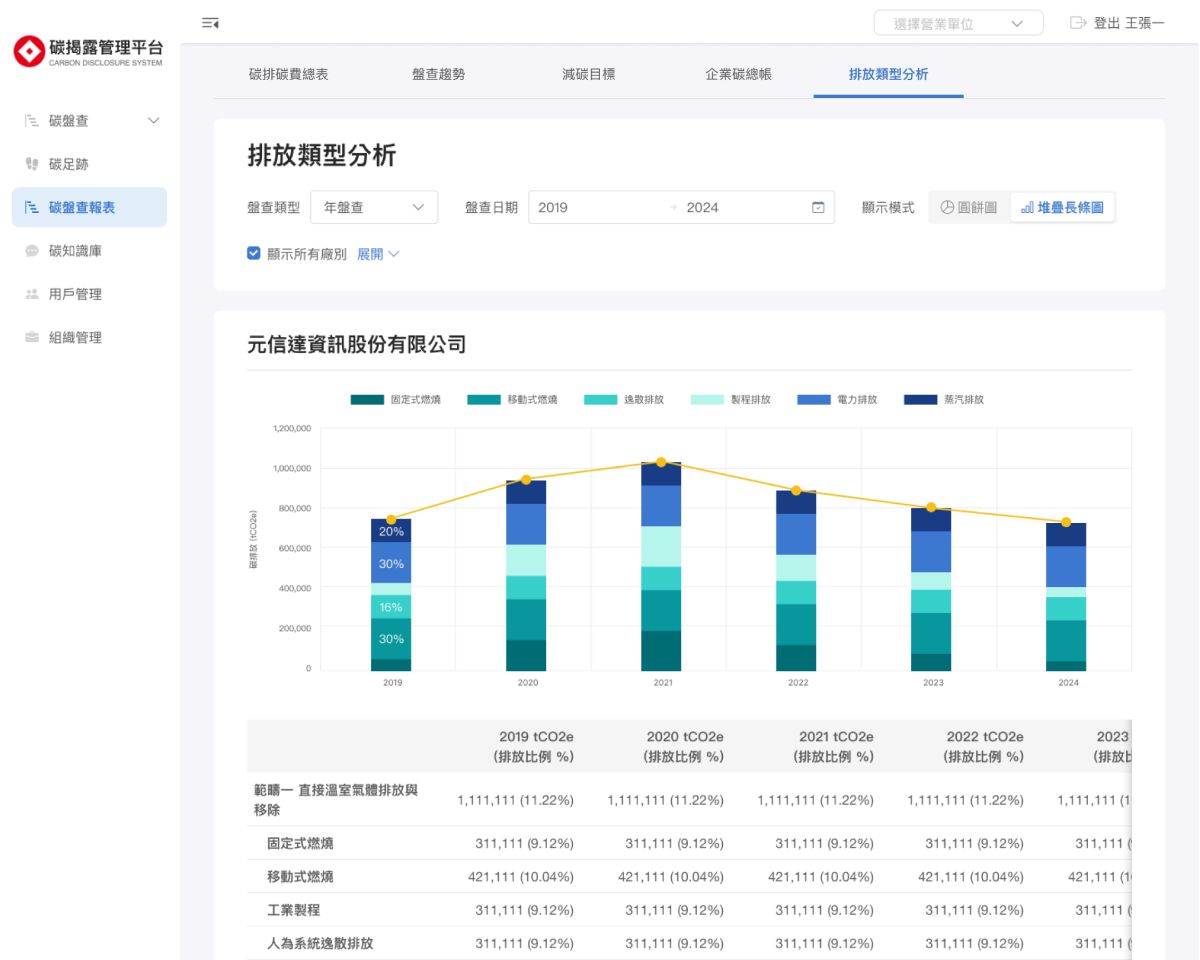
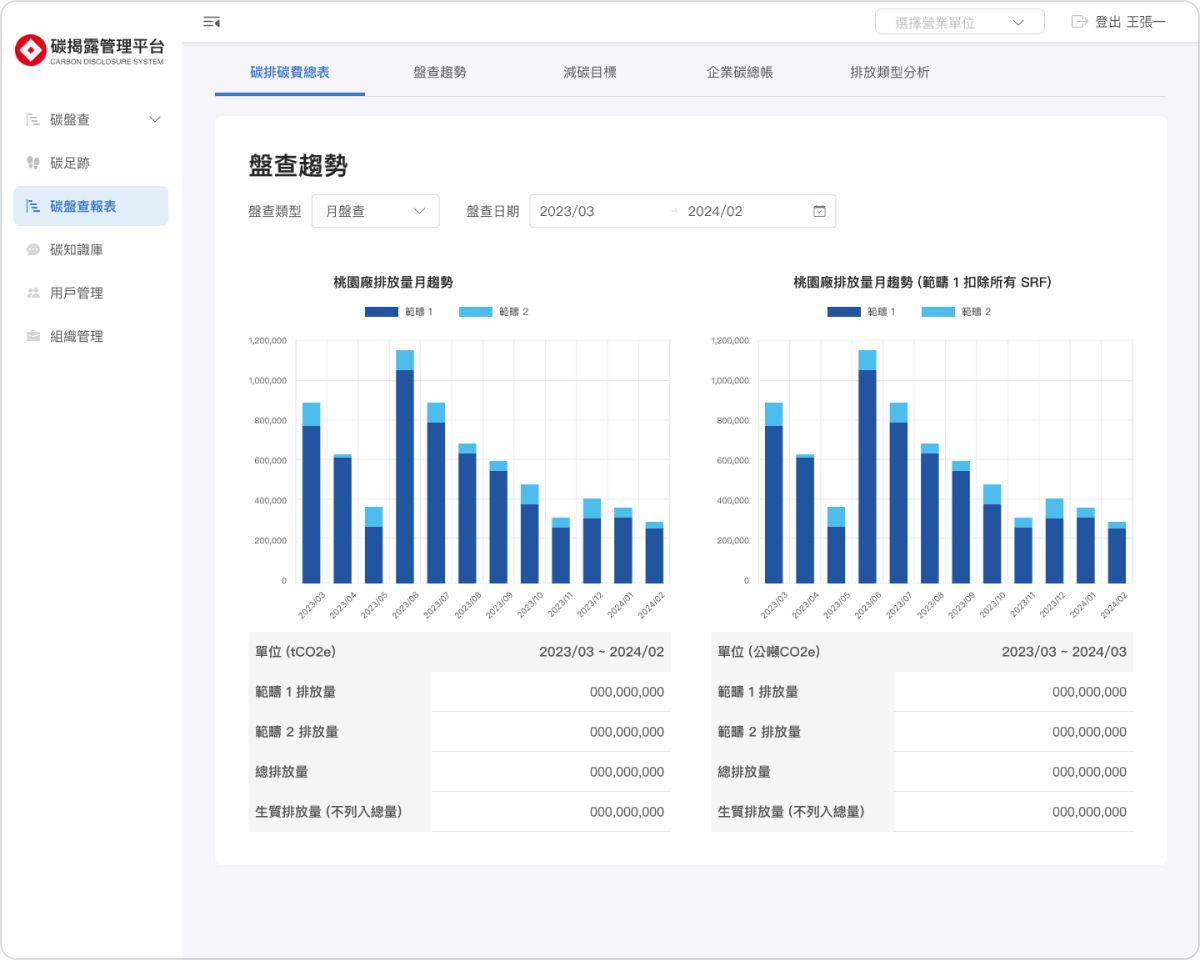
This project rebuilt the platform on top of its initial MVP, redesigning the interface and introducing new features to make complex carbon data clear and actionable.

Through improved UI and user experience, users can more easily understand, track, and manage their carbon emissions.

Client:

永豐餘 Yuen Foong Yu

Role:

UX, UI Design

Date:

2023 - 2024

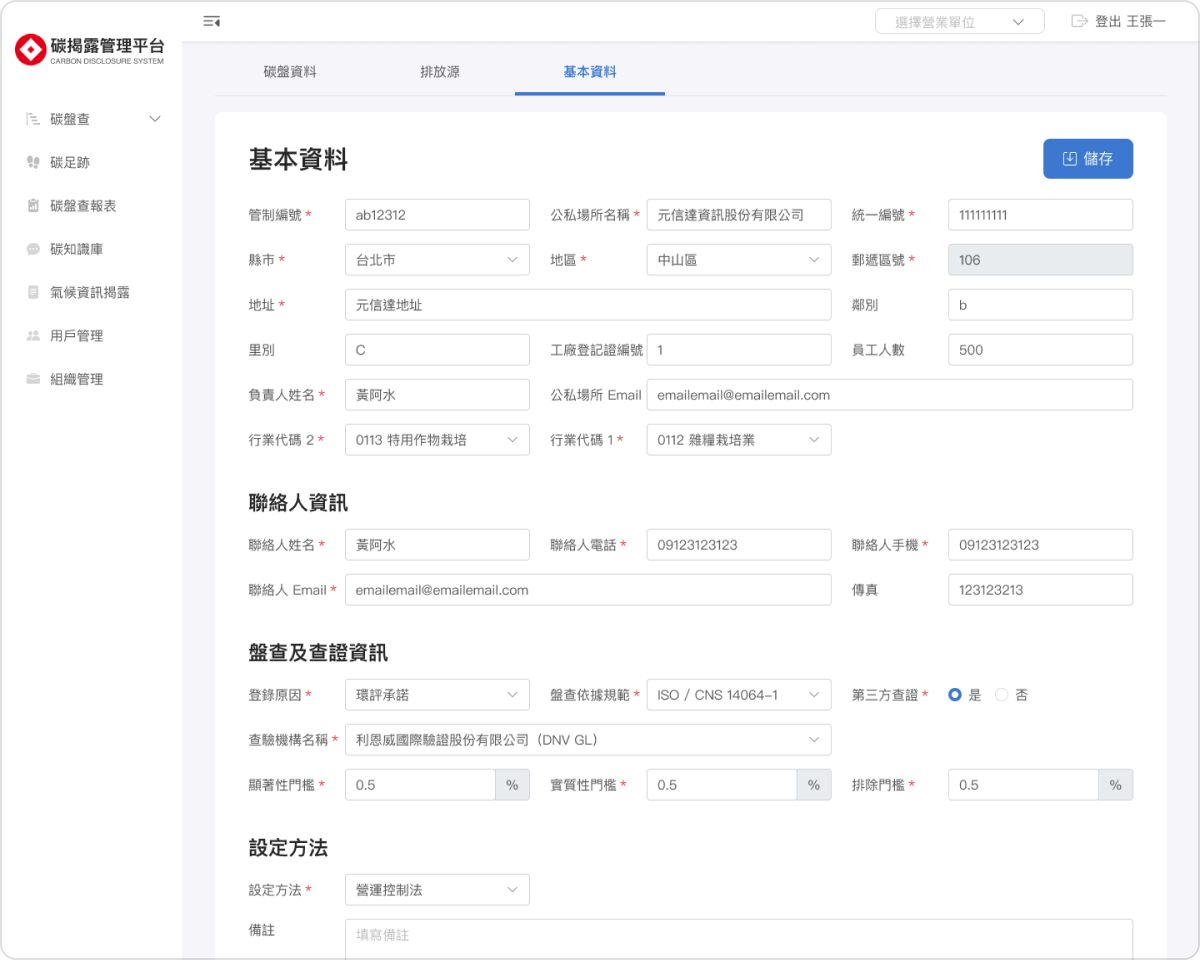
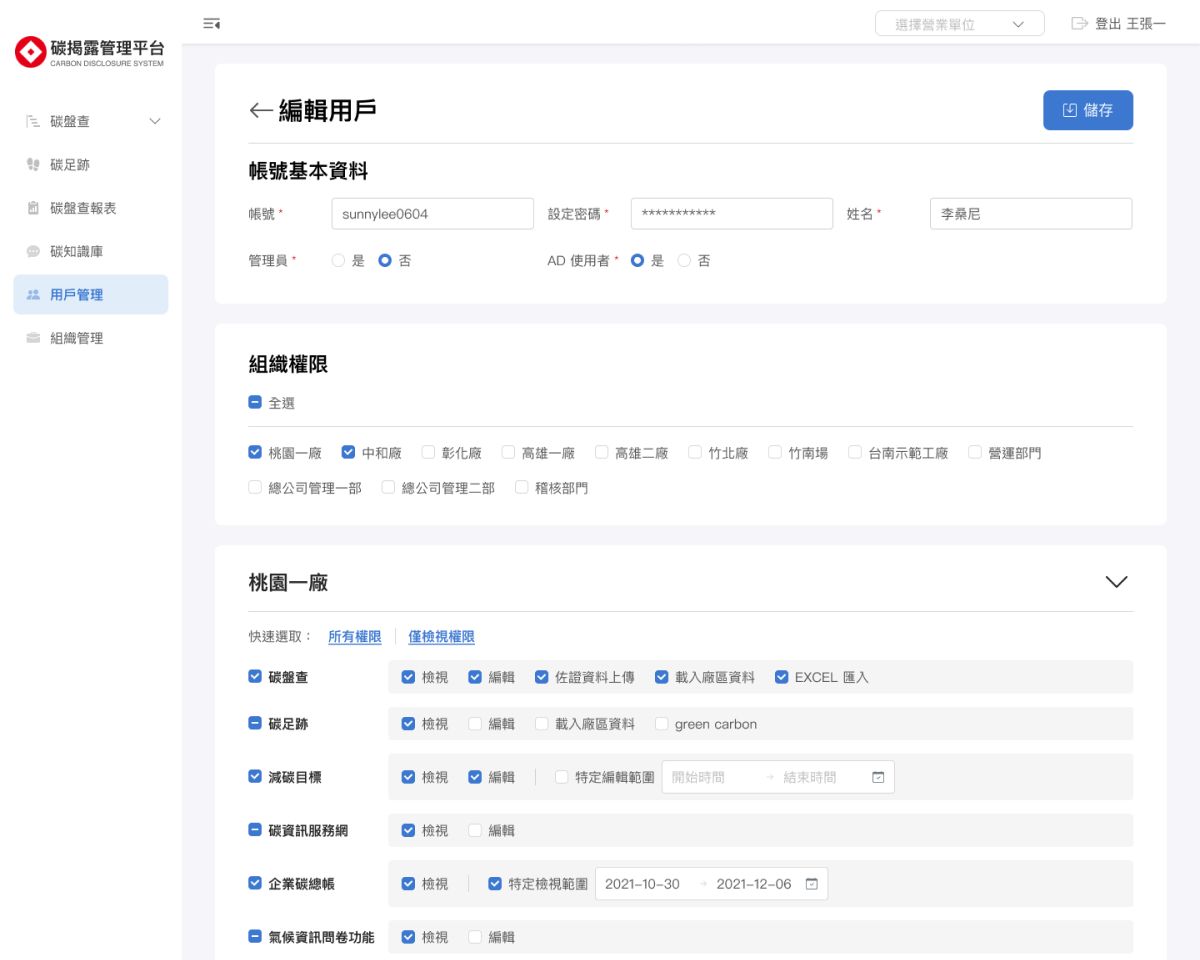
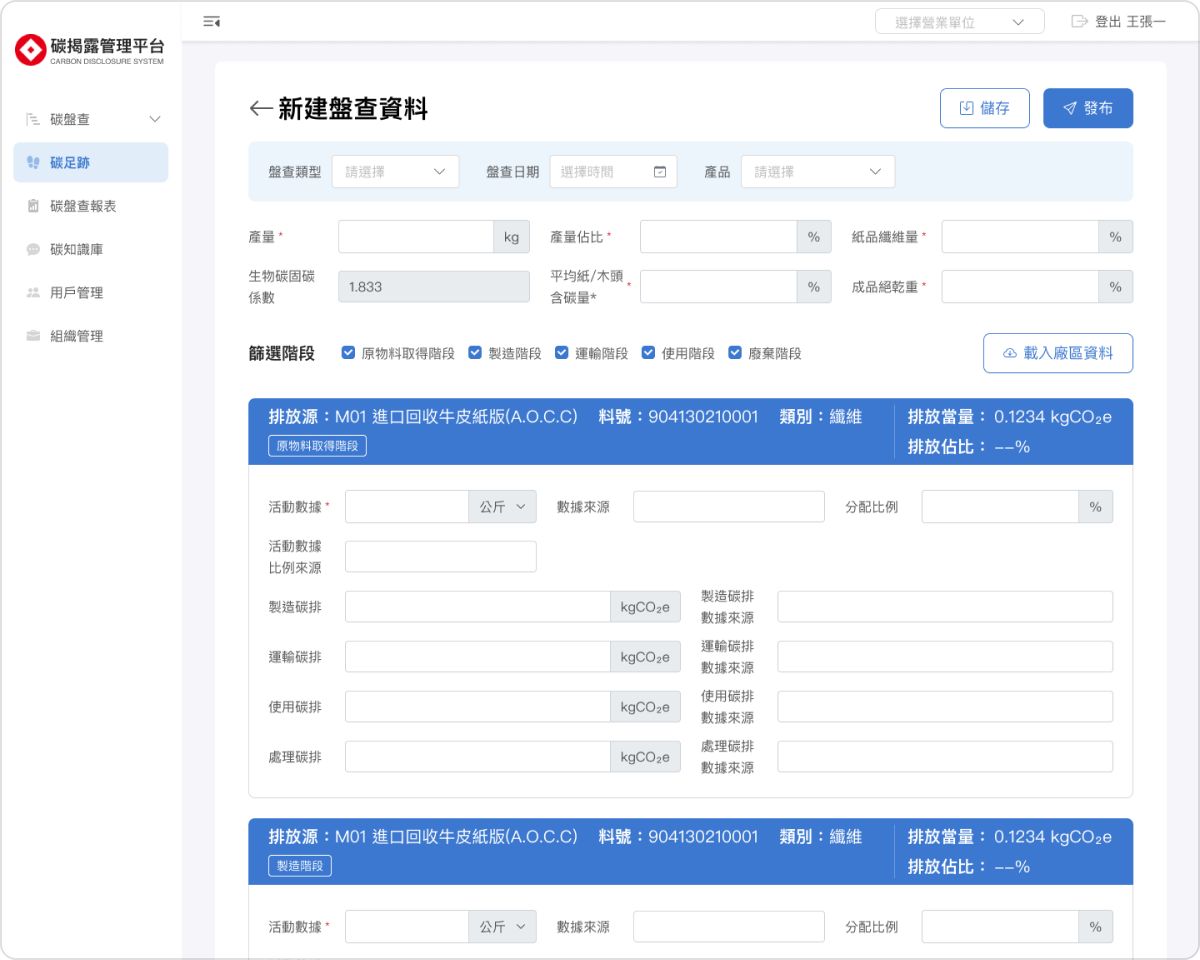
Because the platform contains large volumes of complex data and charts, I went beyond visual redesign and restructured both information hierarchy and interaction patterns.

By standardizing behaviors and optimizing how data is presented, users can find what they need faster and experience less confusion when working with complex information.

I restructured the information and interactions behind complex data, making the platform faster to navigate and easier to understand.

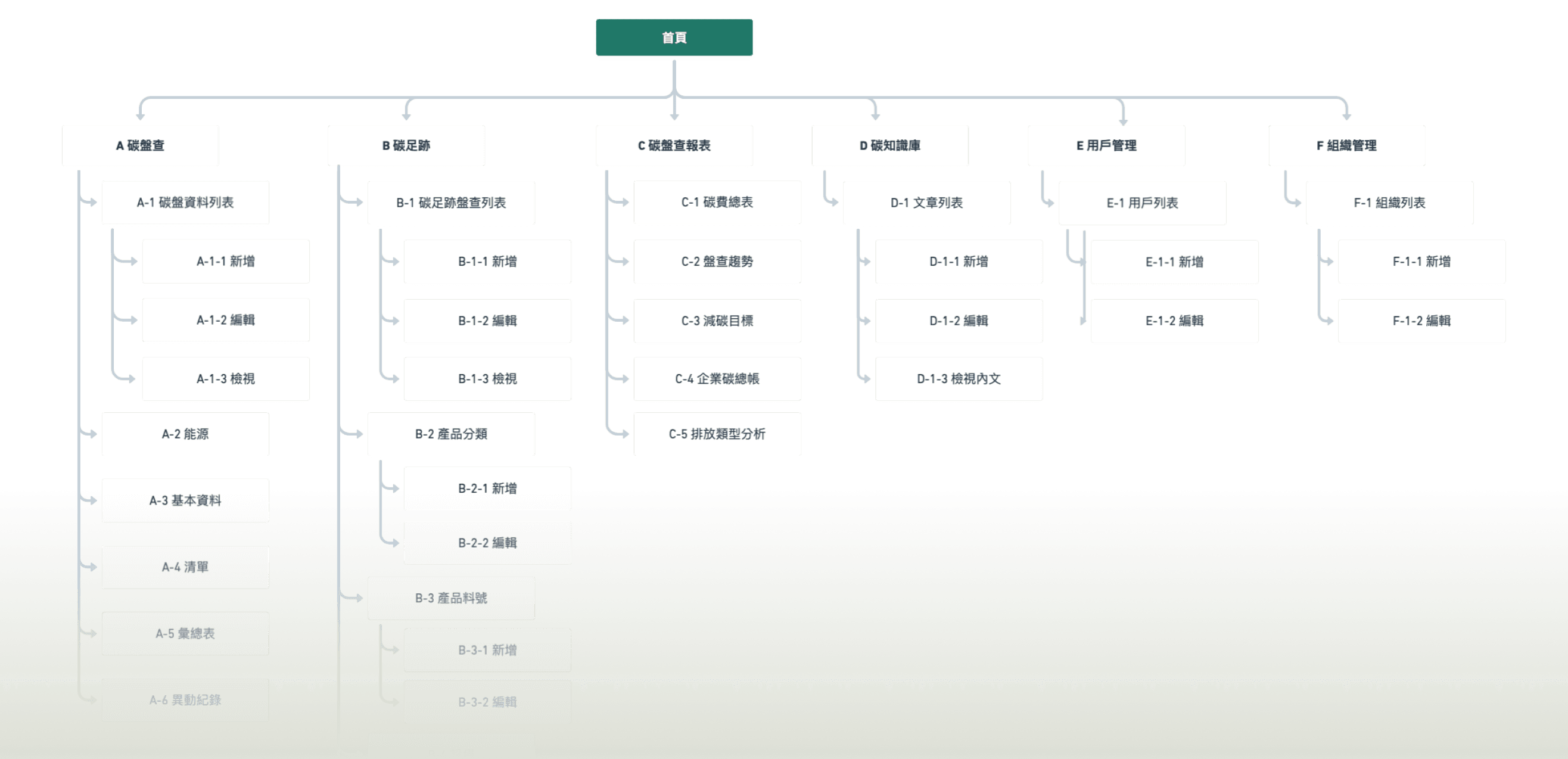
Sitemap

Because most features were already built when design started, the information architecture had to be optimized within tight development constraints.
I used a sitemap to map out what could realistically be changed and worked closely with the PM to improve navigation and page structure without altering backend logic—balancing user experience with development cost.
Design Pattern

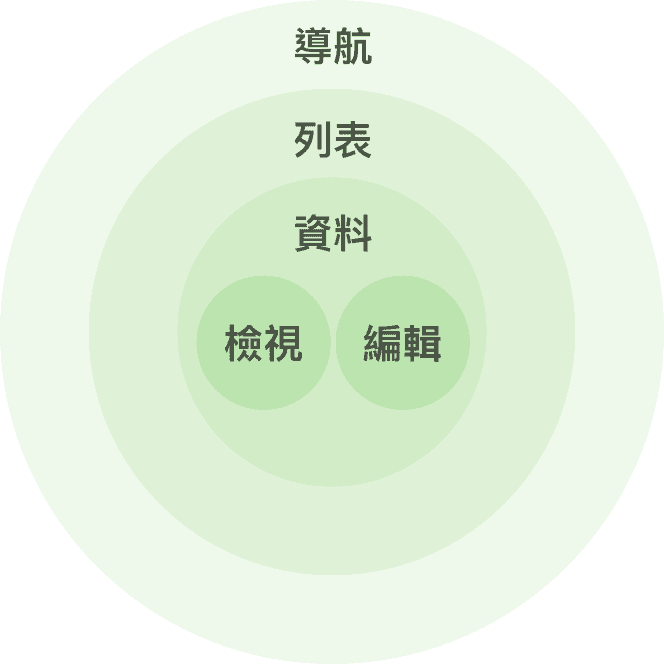
One of the core goals in B2B product design is to reduce cognitive load when users deal with complex data and workflows.

After auditing the requirements, I structured the UI into system, page, section, and component levels, applying pattern-based design and consistent interactions to reduce learning effort while improving development efficiency.
Navigation

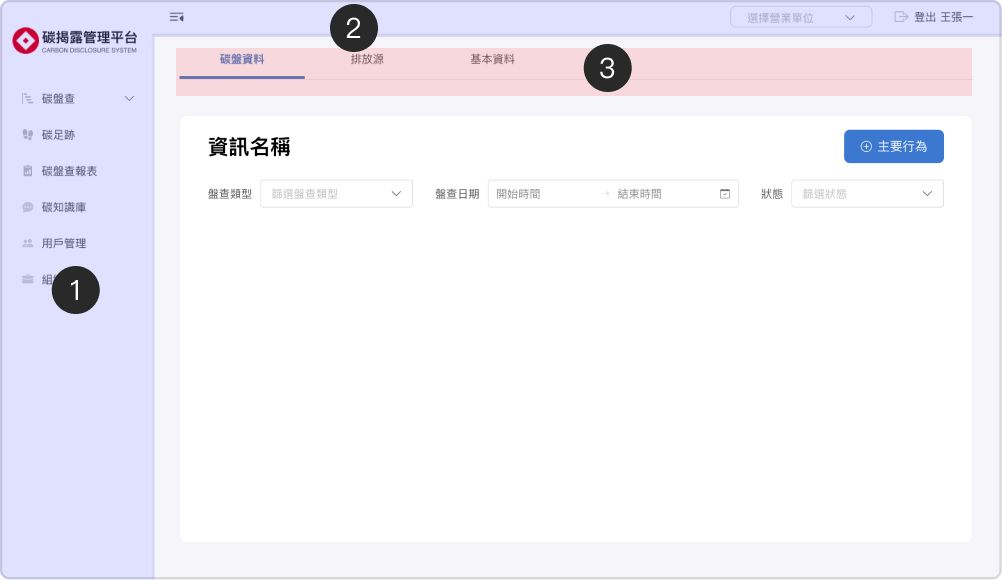
Navigation

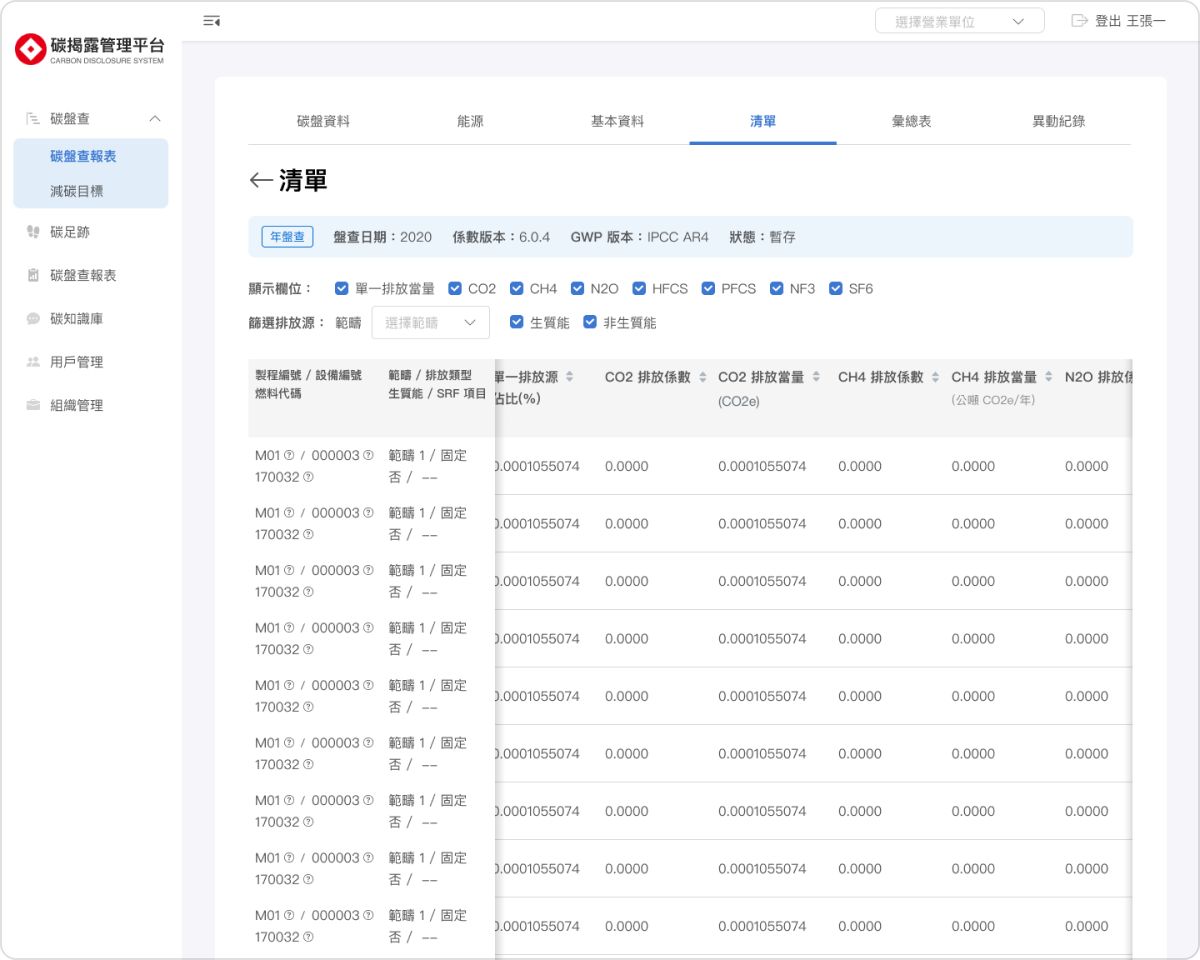
Global Navigation
Global Navigation

Global Menu

Global Menu

A collapsible side navigation that gives users more workspace while browsing and working in the system.

A collapsible side navigation that gives users more workspace while browsing and working in the system.

Global Actions

Global Actions

The top bar contains system-level actions such as switching organizations and logging out, with reserved space for future features like notifications and help.

The top bar contains system-level actions such as switching organizations and logging out, with reserved space for future features like notifications and help.

In-page Navigation
In-page Navigation

In-page Navigation

In-page Navigation

Handles navigation within a page, clearly separated from global navigation to prevent confusion between system-level and page-level actions.

Handles navigation within a page, clearly separated from global navigation to prevent confusion between system-level and page-level actions.

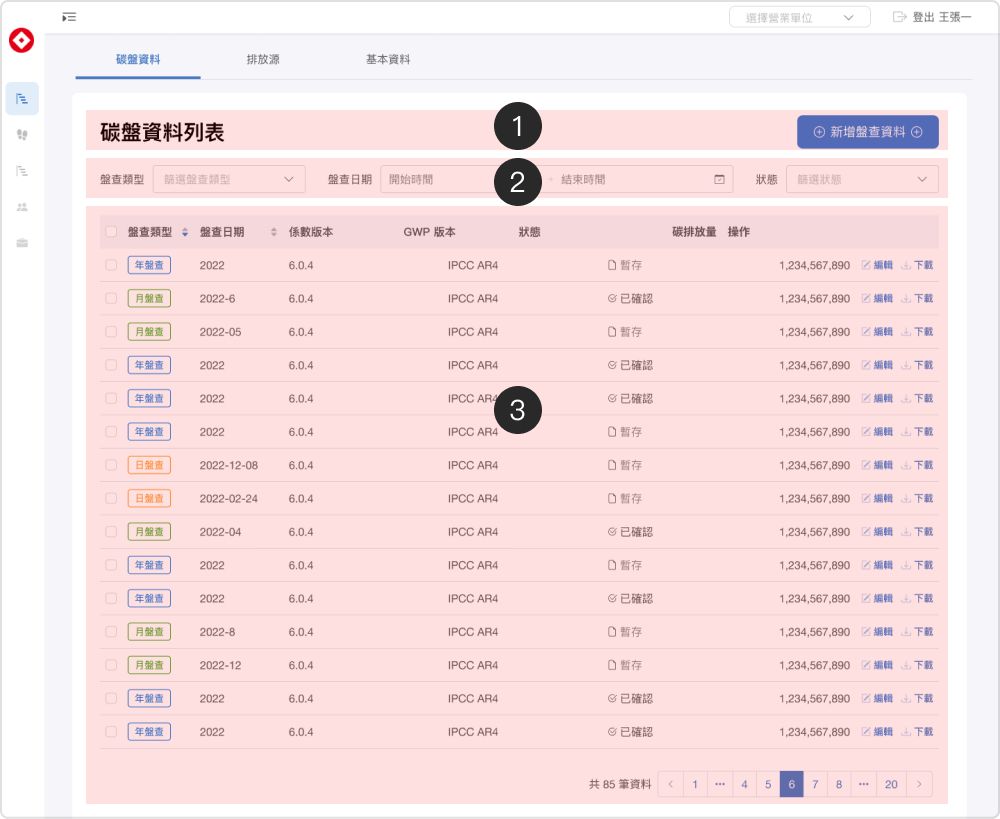
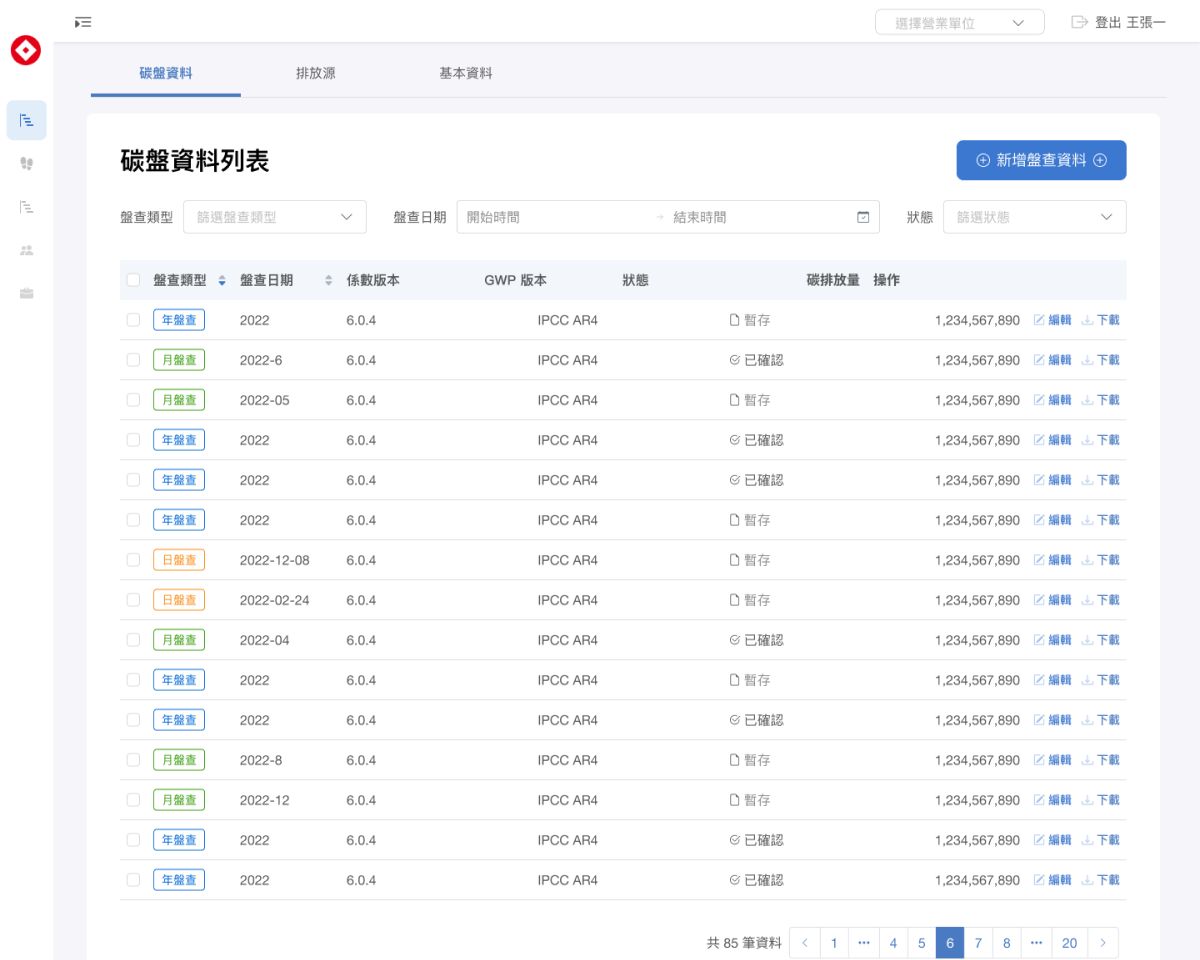
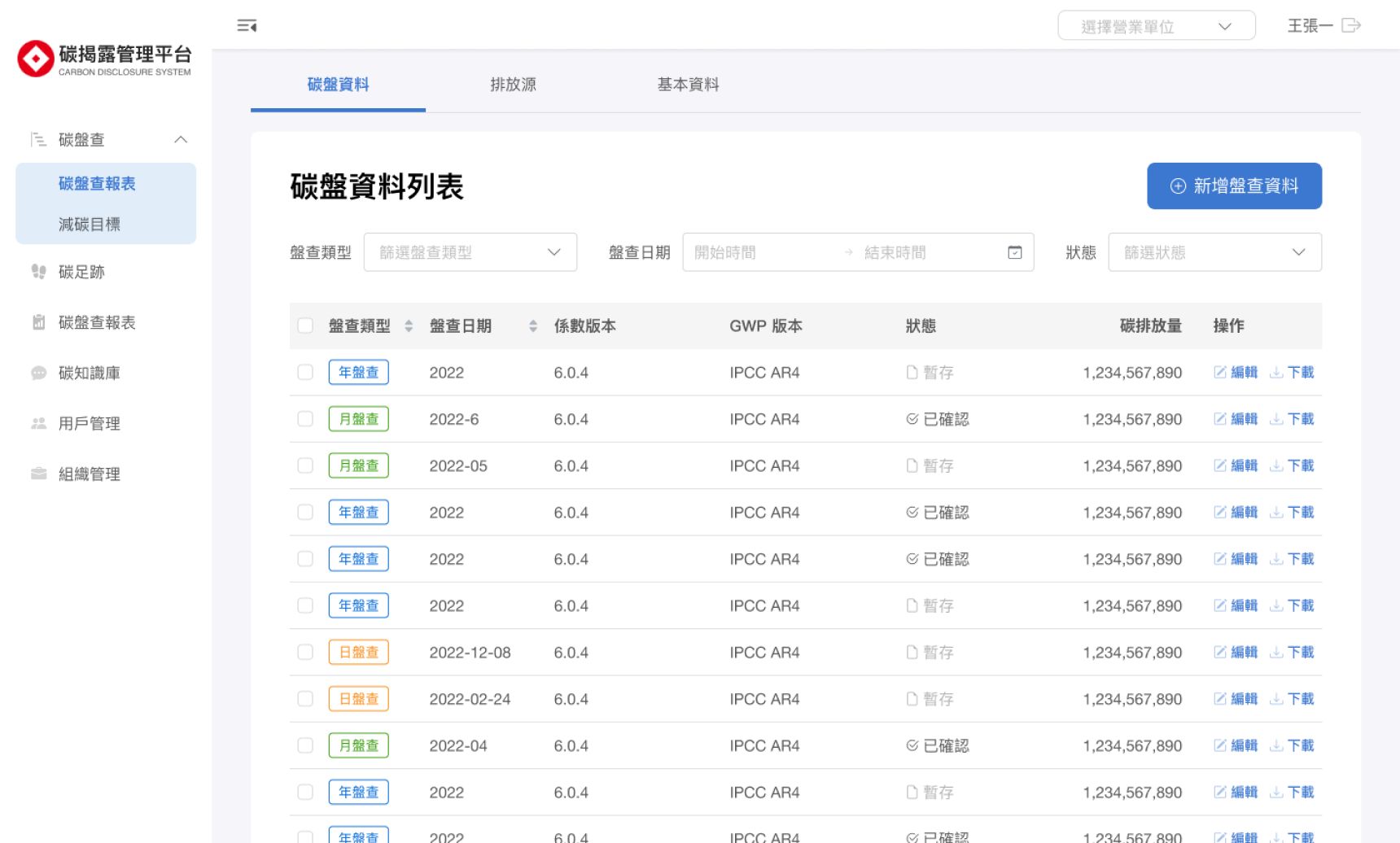
List View
List View

Header

Header

Defines the purpose of the list and hosts primary actions, so users can always find where to act.

Defines the purpose of the list and hosts primary actions, so users can always find where to act.

Search & Filters

Search & Filters

Enables users to quickly locate data through search and filtering.

Enables users to quickly locate data through search and filtering.

Data Rows

Data Rows

Displays relevant fields with support for sorting and row-level actions.

Displays relevant fields with support for sorting and row-level actions.